Optical: use forced perspective to navigate the second dream
A solution guide to the visual language of Optical, including broken illusion pieces, portable geometry and the moon sequence. Work through individual rooms before using the later clues.
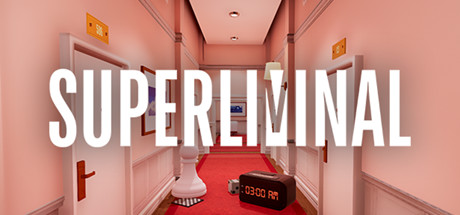
Distinguish paint from an object
Follow the red-carpet corridors until the geometry stops matching the impression the room gives from the doorway. Move left and right while looking at the apparent shape. If pieces painted on different surfaces slide apart, the puzzle asks you to find a viewpoint where their outlines line up. Pressing the interact control before they visually form a complete object will not pick up the disconnected paint.
Use the centre and edges of the shape
For a scattered object illusion, pick one unmistakable corner and align it first. Then use small forward or sideways movements to bring the other edges together. Large camera swings alter orientation without fixing the observer's position. When the outline resolves and the object becomes interactable, grab it. The pickup is the confirmation that your viewpoint was correct.
Scale by changing apparent distance
Hold an object and aim toward a distant surface before releasing it. Its apparent size in your view is preserved as the game places it against that surface, producing a larger physical object farther away. For a smaller piece, bring the placement target closer. Try the operation on the floor before aiming at a high ledge. Seeing the resulting dimensions at eye level makes the next adjustment easier to predict.
Build a step you can climb
A large object is only useful if its first usable surface remains reachable. Set a block or wedge beside the target ledge and approach it from the low side. If the object towers over your jump height and the intended exit, shrink it and try again. Some rooms reward an angled surface more than raw size; look for an object with a sloped edge before stacking unnecessary pieces.
Use a sign as physical geometry
The dream repeatedly invites you to treat signs and background details as decoration. Check whether a sign has an interaction outline before trying to follow its printed direction. Once released from its original place, use its width and orientation to create a path or reveal what was behind it. If a corridor seems to point you around in circles, turn back and inspect the object that supplied the instruction.
Inspect the moon rather than the window frame
When you reach the moon sequence, look through the opening and target the moon itself. Pull it into the room and examine the small objects attached to it. What appeared to be a distant scene now has interactable geometry. Rotate your viewpoint around the object instead of merely enlarging it until it fills the room. One of the attached details is useful beyond being scenery.
Reset the viewpoint before assuming a softlock
Put a poorly scaled object back on a clear patch of floor, step into open space and inspect the doorway from its original approach. Optical can make an object look impossibly large when its placement is simply too close to the camera. If you have tucked a useful object behind another, move the obstruction first. Reserve a checkpoint restart for a position you cannot physically untangle.
Find the hidden nook after the oversized exit sign
Once an enlarged exit sign has carried you over the wall in Optical, pause on the far side. The main corridor draws you forward, but an optional discovery lies behind the natural travel direction. Turn around, follow the wall toward the far left and inspect the recess near the alternative doorway. Reaching this nook is the condition for Please Use Other Door. The perspective mechanic is only the means of getting into the larger space, so there is no need to keep resizing the sign once the wall is behind you. If the new corridor looks unfamiliar, look back for the wall you scaled and use it as your origin, then follow the left edge without crossing to another room. This also makes a useful test of what the game considers an optional discovery. A fire alarm or blueprint elsewhere in Optical records a different interaction and will not substitute for physically entering the nook. Continue the ordinary route after the discovery registers.
Official screenshots


