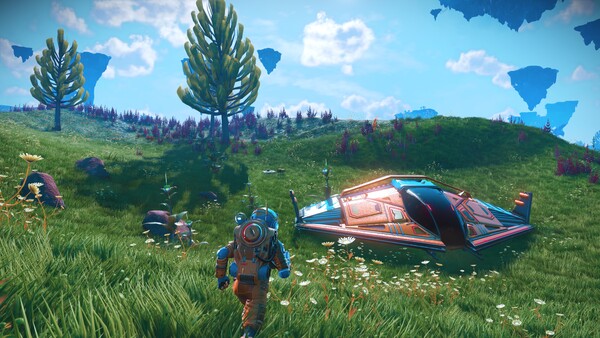
Claim your first base and power a teleporter
Continue Awakenings after fixing the starter ship. Use a Terrain Manipulator, refined metal and buried technology to establish a small base that you can return to from a station.

Select Awakenings and find the marked building site
After the first launch, follow the transmission and landing objectives until the tutorial asks for ground construction. Keep Awakenings selected in the Log. Pinned crafting recipes and secondary missions can change the guidance in the lower corner of the screen. Choose a site with a reasonably flat patch of ground, accessible resources and enough room for your ship to land. A spectacular cliff edge can make a first foundation and its doorway unnecessarily awkward.
Install the Terrain Manipulator and survey copper
Follow the multitool installation prompt and use the Analysis Visor to identify a Copper deposit in the system where the tutorial directs you. Ordinary small rocks supply Ferrite Dust; they are a different resource from a mapped Copper deposit. Mark the deposit in the visor before leaving your site. At the deposit, switch the multitool to the Terrain Manipulator and use its mining mode on the mineral itself, watching for Copper to appear in the inventory.
Refine the metal and claim the site
Use the Portable Refiner to turn Copper into Chromatic Metal. Check how much the Base Computer blueprint requires under your difficulty settings, then produce enough before dismantling or moving the refiner. Open the build menu and place a Base Computer in your selected area. Interact with it and complete the site claim. Placing the object is only the first step. The computer must register the claim before the area becomes your construction base.
Build shelter that the objective recognizes
Use the construction blueprints given by the tutorial to place a floor, walls, an entrance and a roof. A doorway makes the shelter usable while still closing the structure around the interior. Step inside and look for the environmental protection change. If the mission still asks for shelter, inspect the roof, corners and the currently selected quest before expanding the building. A large unfinished room is less useful here than a small complete room that provides cover during a storm.
Excavate Buried Technology Modules
The blueprint research stage uses Salvaged Data. Scan with the Analysis Visor for Buried Technology Modules, mark one and excavate it with the Terrain Manipulator. Interact with the exposed module to collect the data. Digging a hole near the icon without opening the object will not supply the currency. Back at base, use the Construction Research Unit to inspect blueprints and their costs. Keep enough data for the items the active tutorial actually requests before buying decoration.
Wire a power source to the teleporter
Place the learned teleporter and a suitable power source, such as a Biofuel Reactor for an early demonstration. Use Electrical Wiring to connect the power socket on the generator to the teleporter. Load the generator with compatible fuel and verify that the teleporter shows power. A cable connected on one end only, a stopped generator or a cable attached to the wrong object can all produce a finished-looking but inactive structure. Check them in that order before rebuilding the entire room.
Test a return journey and name the base
Rename the base from the computer so it is easy to recognize among destinations. Once you have access to a space-station teleporter and the tutorial has introduced travel, inspect the destination list and return to your claimed base. For a return trip from the base, make sure the outgoing teleporter still has power. A small reactor that ran out while you were away is a reason to refuel or build a longer-term power system, not a reason to delete the base claim.
Upload a finished base for a visitor
Once the base is working, test two different outcomes. First, use your own teleporter list to return to the claimed site. Next, interact with the Base Computer and inspect the upload option if you want the current build visible through the game's discovery system to other players. Give the base a recognizable name and verify that the build meets the upload requirements shown by the computer. Returning successfully on your own account proves the claim works; it does not prove the current revision finished uploading. After a substantial rebuild, revisit the computer and submit the updated version before asking a visitor to look for the change.
Official screenshots