Build a first physics course that another rider can finish
Create a short Segway course, tune its ramp and landing, and test the published route from the same starting position as a new player.

Pick one rider and one finish
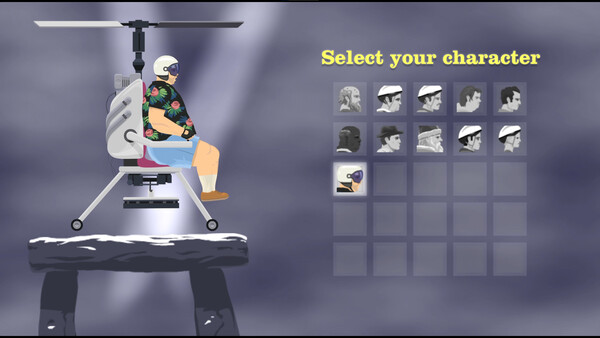
Start in the Level Editor with a short horizontal route. Pick Segway Guy as your test character and give him space on both sides of the start. His upright posture makes a low ceiling and a sharp change of slope noticeably different obstacles. Decide what the rider should learn in this run. A shallow ramp, one small gap and a finish on level ground give you three things to test without a moving machine or an elaborate background obscuring the result.
Construct the first stretch on fixed ground
Use fixed shapes for the runway and landing. Test immediately, before adding scenery. An object that falls away on contact is a different challenge from the firm ledge you drew. Watch the joint between two adjacent pieces. A wheel catching on a tiny raised edge can pitch the rider forward so abruptly that the player never reaches the intended jump. Give the ramp a gentle transition, then drive into it once slowly and once from the beginning at speed.
Set the distance using the rider's actual jump
Test the gap with your intended starting distance and take note of where the wheels first touch down. Put the near edge of the landing comfortably before that point. Next reduce the approach speed and find where a cautious rider lands. This creates a playable range rather than a single successful input. When both attempts reach the platform, change either the ramp angle or the gap width to tune difficulty. Changing both together makes a failed landing harder to interpret.
Leave room for the body to move
A character can cross the gap and still lose the run to the landing. Watch whether the Segway reaches the far side facing forward, whether a low overhang catches the rider, and whether a forward lean immediately tips him over. Leave a recovery platform after the drop and move the finish a little farther down it. An open landing lets a new player see why the vehicle rotated and correct the lean before the next turn.
Test the victory condition
Add the finish trigger and complete an entire run from the editor's normal starting point. If the rider crosses the visible line and the level continues, inspect the actual trigger position, its height relative to the rider and any win condition you selected. Decorative shapes can make an attractive finish gate without ending the course. Retest after moving the start or the gate. A successful attempt from a temporary test position cannot establish that the full level works.
Play someone else's version of the same idea
The Steam Level Browser lets you sort player submissions and select a date. Find a short obstacle course that uses your chosen vehicle and pay attention to how early it shows you an upcoming landing. Apply that observation to the sightline on your own approach. Let another player try your level without instructions. If they repeatedly slow down at the same point, check whether the gap looks like a dead end well before making the jump easier.
Prepare the shared level for repeat visits
Give the course a descriptive title that identifies the rider or movement, and mention a required character ability if you built around it. Test the shared version from the browser. Steam also supports downloading levels for offline play, which is useful when practicing one particular course repeatedly. If you open a browser result under a similar title, confirm the creator before comparing your run. Many community courses use the same short names for entirely different challenges.
Diagnose a false finish with a stripped-down editor copy
Save a separate editor copy of your Segway course and remove the decorative gate around the Finish Line in that copy. Place the start on level ground just before the actual finish object and ride through at low speed. Look for the victory animation and completion time. If that works, restore the ramp and begin progressively farther back to test whether the normal jump passes above or beside the trigger. If the short test fails, check the chosen victory conditions and the position of the actual Finish Line object before rebuilding any jumps. Once the issue is isolated, apply only that correction to the original course, preserving the version players already know how to reach.
Official screenshots