From the beach to your first Parasaur saddle
A first-tame route for the original Survival Evolved. Choose a safe early target, monitor its food and torpor, then distinguish a completed tame from a rideable animal.
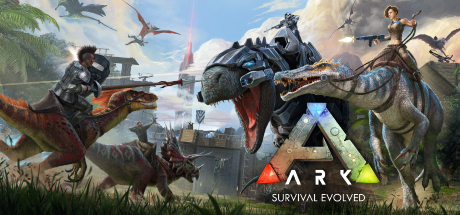
Choose a beach camp with a return route
Spawn in a lower-risk region and spend the opening levels gathering basic resources, making tools and getting a respawn point established. A tame takes time during which you will be occupied with its inventory. Pick a spot near the resources you need and away from large visible predators. Check the surroundings before investing in a high-level animal that your equipment cannot support.
Check the Parasaur's level
Use the nameplate to confirm that you are approaching a Parasaur and note its level. Higher levels usually mean more time and supplies for a knockout tame. Inventory space and spare food matter more than a perfect wild specimen for this first attempt. Choose one you can monitor without repeatedly abandoning it to collect essentials far from camp.
Use the in-game knockout system
A Parasaur normally flees when threatened. The game's Bola can briefly hold an appropriate target, giving you time to apply torpor through suitable early equipment. Observe the creature's state and stop the moment it becomes unconscious. Continuing to hit an unconscious tame damages it and can reduce its eventual taming effectiveness.
Feed through the creature’s inventory
Open the unconscious Parasaur's inventory and provide suitable food, such as berries. It eats automatically when hungry. Watch the taming bar and the available food; repeatedly force-feeding ordinary berries is not how to accelerate normal progress. Different server rates and food choices change the timing, so a guide's minute count may not match your own session.
Monitor the torpor bar separately
Torpor declining and taming progress increasing are two different clocks. If the animal is likely to wake before completion, use the game's torpor-maintaining consumables through its inventory as appropriate. Check the effect before adding more. Avoid leaving for a lengthy gathering trip because the taming bar was high while the torpor bar was almost empty.
Issue a safe first command
When the tame completes, name it and inspect its behaviour and follow settings. Move a short distance and confirm it responds as intended. A newly tamed Parasaur can get caught behind trees or move toward danger if its behaviour is inappropriate for the situation. Walk the path back to camp slowly enough to verify it remains with you.
Craft and equip the saddle
Unlock the Parasaur Saddle engram when eligible and inspect its resource requirements. Craft it and place it in the animal's saddle slot. Taming alone does not grant a riding interaction. Test the mount near camp and inspect its inventory before attempting a long resource run. A slower, lightly loaded return is preferable to discovering the animal is overburdened on the far side of a river.
Turn a first Parasaur into a camp alarm
Bring the saddled Parasaur home and park it inside the protected part of your beach camp. Open its creature options and locate turret mode and the detection settings. The name refers to a stationary scanning behavior on this species. Select a detection category useful to your server, then watch the warning messages when something enters range. A PvE player interested in local creatures has little use for a warning restricted to rival survivors. Leave room around the Parasaur so you can reach its inventory and behavior wheel without opening the pen. Keep it fed and consider how an aggressive stance or wandering might interfere with the job you assigned it. If the Parasaur will no longer follow when you set out to gather berries, return to its wheel and turn the stationary mode off before issuing the follow command again. The same animal can serve as a mount during a gathering trip and as a detector at home; changing context requires changing the behavior as well as putting on the saddle.
Official screenshots


